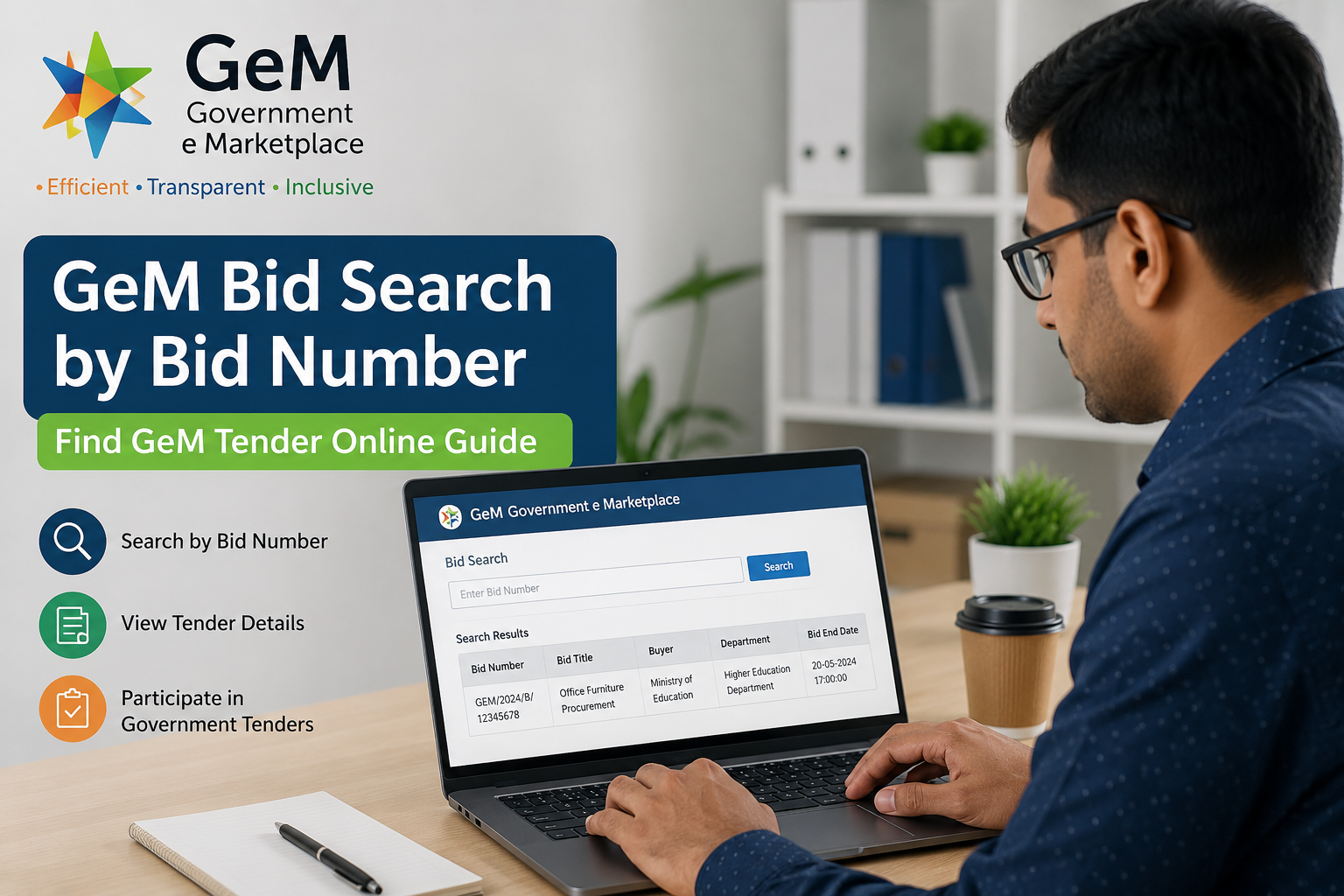
GeM Bid Search by Bid Number | Find GeM Tender Online Guide
Finding a GeM bid has become much easier with the Government e-Marketplace (GeM). Whether you are a seller looking for new opportunities or a buyer checking procurement details, understanding GeM Bid Search by Bid Number helps you quickly locate the exact bid without browsing hundreds of listings.
In this guide, you'll learn how to search bid number in GeM, explore the GeM tender system, understand the GeM portal tender process, and discover how businesses can participate in government procurement successfully.
What is GeM?
The Government e-Marketplace (GeM) is India's official online procurement platform where government departments, PSUs, autonomous bodies, and organizations purchase goods and services from registered sellers.
Through the portal, buyers can publish:
- Goods tenders
- Service tenders
- BOQ bids
- Reverse auctions
- Custom bids
Businesses can search, participate, and win GeM government tender opportunities completely online.
What is a GeM Bid?
A GeM Bid is an official online procurement request published on the Government e-Marketplace (GeM) by a government department, ministry, public sector undertaking (PSU), autonomous body, or other authorized buyer. Through a GeM bid, buyers invite eligible sellers and service providers to submit competitive quotations for the supply of goods or services.
Each bid is assigned a unique Bid Number, making it easy for sellers to search, track, and access the specific procurement opportunity using the GeM Bid Search by Bid Number feature. Before participating, sellers should carefully review all bid details to ensure they meet the technical, commercial, and eligibility requirements.
A typical GeM Bid includes the following information:
- Bid Number – A unique identification number assigned to the procurement.
- Bid Title – A brief description of the goods or services being procured.
- Buyer Organization – The name of the government ministry, department, PSU, or organization issuing the bid.
- Product or Service Details – Complete specifications, scope of work, and required standards.
- Required Quantity – The number of units or volume of services requested.
- Estimated Contract Value – The approximate budget or value of the procurement, where applicable.
- Bid Publishing Date – The date the bid was made available on the GeM portal.
- Bid Closing Date & Time – The deadline for submitting quotations or proposals.
- Technical Specifications – Mandatory quality standards, certifications, and technical requirements.
- Eligibility Criteria – Conditions related to seller registration, experience, turnover, certifications, or compliance requirements.
- Delivery Terms – Expected delivery location, timeline, and installation requirements, if applicable.
- Supporting Documents – Bid documents, BOQ files, corrigenda, and other attachments required for participation.
Why is GeM Bid Search Important?
Using GeM Bid Search saves significant time because users can directly locate a bid instead of manually browsing categories.
Benefits include:
- Faster tender tracking
- Accurate bid identification
- Easy document verification
- Monitor bid status
- Avoid duplicate searches
- Track government procurement opportunities
How to Search Bid Number in GeM
Many users ask how to search bid number in GeM. The process is straightforward.
Step 1: Visit the GeM Portal
Open the official e-Marketplace portal.
Step 2: Open Bid Search
Navigate to the Tender/Bid Search section available on the portal homepage.
Step 3: Enter the Bid Number
Type the complete Bid Number exactly as provided.
Ensure there are no extra spaces or missing characters.
Step 4: Click Search
The system will display:
- Bid title
- Buyer organization
- Tender details
- Closing date
- Product specifications
- Bid documents
This is the fastest method for GeM Bid Search by Bid Number.
Information Available After GeM Bid Search
Once the bid opens, you can view:
- Bid Number
- Bid Name
- Buyer Details
- Ministry/Department
- Product Category
- Quantity Required
- Technical Documents
- Corrigendum
- Bid Start Date
- Bid Closing Date
- Estimated Delivery
- Evaluation Method
Alternative Ways to Search GeM Bid
Apart from Bid Number, users can search using:
- Product Name
- Buyer Organization
- Category
- Ministry
- State
- Service Type
- Bid Title
- Keyword Search
These methods help locate a GeM portal tender even without the bid number.
Understanding GeM Tender
A GeM Tender is a procurement notice issued by government buyers requesting quotations from eligible vendors.
Unlike traditional procurement systems, GeM offers:
- Digital bidding
- Transparent evaluation
- Online documentation
- Paperless workflow
- Secure payment process
Types of GeM Tenders
The Government e-Marketplace (GeM) offers multiple bidding and procurement methods to meet different purchasing requirements of government organizations. Each type of GeM Tender is designed for specific procurement scenarios, allowing buyers to procure goods and services efficiently while ensuring fair competition among sellers.
1. Regular Bid
A Regular Bid is the most commonly used tender type on the GeM portal. It is suitable for the procurement of standard goods and services where buyers invite multiple eligible sellers to submit competitive price quotations. The contract is typically awarded based on technical compliance and commercial evaluation.
2. Custom Bid
A Custom Bid is created when the required product or service is not available in the standard GeM catalog. Buyers can define customized technical specifications, delivery requirements, and eligibility criteria, enabling businesses to bid for specialized or unique procurement needs.
3. BOQ (Bill of Quantity) Bid
A BOQ Bid is used for procurements involving multiple line items, detailed quantities, or project-based requirements. Sellers submit their prices using a predefined Bill of Quantity (BOQ) format, making it suitable for infrastructure projects, maintenance work, engineering contracts, and bulk purchases.
4. Reverse Auction (RA)
In a Reverse Auction, technically qualified sellers compete by continuously lowering their quoted prices within a specified time frame. This competitive bidding process helps government buyers obtain the best possible value while maintaining transparency and fairness.
5. Service Bid
A Service Bid is issued when government organizations need professional or manpower-based services rather than physical products. These tenders may include IT services, housekeeping, security, consultancy, transportation, facility management, maintenance, training, and other service-related contracts. Sellers are evaluated based on their technical qualifications, experience, compliance documents, and financial quotations.
6. Direct Purchase (Where Applicable)
For procurements within the prescribed financial limits, eligible government buyers may opt for Direct Purchase from GeM-listed sellers without initiating a competitive bidding process. This method simplifies procurement for low-value purchases while ensuring compliance with GeM procurement guidelines.
7. Bid with Reverse Auction
Some high-value procurements combine a Regular Bid with a Reverse Auction. Initially, sellers submit technical and financial bids. After technical evaluation, qualified bidders participate in a reverse auction to offer their most competitive prices, ensuring maximum value for government procurement.
What is GeM Portal Tender?
A GeM Portal Tender refers to any procurement opportunity published through the Government e-Marketplace.
These tenders cover thousands of categories including:
- IT Equipment
- Furniture
- Electrical Items
- Medical Equipment
- Office Supplies
- Security Services
- Cleaning Services
- Consultancy
- Construction Support
- Logistics
GeM Tender List
The GeM Tender List includes all active procurement opportunities available on the platform.
Businesses can filter the tender list using:
- Product Category
- State
- Buyer Organization
- Closing Date
- Bid Value
- Service Type
- Ministry
- Department
Checking the GeM Tender List daily helps businesses identify new opportunities quickly.
GeM Government Tender Benefits
Participating in a GeM Government Tender offers several advantages.
Equal Opportunity
Every eligible seller gets a fair chance.
Transparent Process
No manual intervention in bid submission.
Digital Documentation
Everything is uploaded online.
Nationwide Access
Businesses from any state can participate.
Quick Communication
All updates are available on the dashboard.
Business Tender Opportunities on GeM
Every registered MSME, startup, manufacturer, trader, and service provider can participate in a Business Tender if eligibility conditions are fulfilled.
Popular business sectors include:
- Office Supplies
- IT Services
- Healthcare
- Civil Work
- Furniture
- Security Services
- Educational Equipment
- Printing Services
- Laboratory Equipment
- Consultancy
Eligibility to Participate in GeM Bid
Businesses generally require:
- Active GeM Seller Registration
- PAN
- GST Registration (where applicable)
- Bank Details
- Product Catalog
- Digital Documents
- Compliance Certificates (if required)
Documents Required
Prepare these documents before applying:
- PAN Card
- Aadhaar
- GST Certificate
- Udyam Registration
- Cancelled Cheque
- Company Registration Certificate
- Address Proof
- Authorization Letter
- Product Certificates
Tips to Win More GeM Bids
Winning a GeM Bid requires more than submitting the lowest price.
Consider these best practices:
- Read specifications carefully.
- Upload complete documents.
- Quote competitive pricing.
- Maintain good seller ratings.
- Avoid last-minute submissions.
- Check corrigendums regularly.
- Ensure product compliance.
- Keep stock availability updated.
- Respond to buyer queries promptly.
Common Reasons for Bid Rejection
Many sellers lose opportunities due to avoidable mistakes.
Common reasons include:
- Incorrect documents
- Price mismatch
- Missing certifications
- Late submission
- Technical non-compliance
- Incomplete product details
- Invalid authorization
Common Mistakes During GeM Bid Search
Avoid these mistakes while performing GeM Bid Search:
- Entering incorrect Bid Number
- Searching expired bids only
- Ignoring corrigendum notices
- Missing eligibility conditions
- Uploading outdated documents
How Often is the GeM Tender List Updated?
The GeM Tender List is updated regularly as government departments publish new procurement requirements.
Businesses should check the portal daily to avoid missing valuable opportunities.
Advantages of Using GeM Portal
Some major advantages include:
- Paperless procurement
- Secure transactions
- Transparent bidding
- Real-time updates
- Wide business opportunities
- Faster procurement
- Digital approvals
- Centralized marketplace
Conclusion
Understanding GeM Bid Search by Bid Number enables businesses to quickly access the exact procurement opportunity they need. Whether you are learning how to search bid number in GeM, exploring a GeM portal tender, reviewing the latest GeM tender list, or planning to participate in a GeM government tender, using the search tools effectively can save time and improve your bidding strategy.
For MSMEs, startups, manufacturers, traders, and service providers, regularly monitoring GeM Bid Search and preparing complete documentation can significantly improve participation in business tender opportunities across India. With proper planning, accurate compliance, and competitive bidding, the GeM platform can become a valuable channel for long-term government business growth.
Frequently Asked Questions (FAQs)
1. What is GeM Bid Search by Bid Number?
Answer: GeM Bid Search by Bid Number is a feature on the Government e-Marketplace that allows users to quickly find a specific bid using its unique Bid Number. It helps sellers and buyers access procurement details without manually browsing all active tenders.
Source: https://gem.gov.in/
2. How to search bid number in GeM?
Answer: Visit the GeM portal, navigate to the Bid Search section, enter the complete Bid Number, and click Search. The system will display the bid details, buyer information, specifications, and submission deadline.
Source: https://gem.gov.in/
3. What is a GeM Bid?
Answer: A GeM Bid is an online procurement request issued by a government department or organization through the Government e-Marketplace, inviting eligible sellers to submit quotations for goods or services.
Source: https://gem.gov.in/
4. What is GeM Tender?
Answer: A GeM Tender is a government procurement opportunity published on the GeM portal for purchasing goods, services, or works through a transparent online bidding process.
Source: https://gem.gov.in/
5. Can anyone participate in a GeM Government Tender?
Answer: No. Only registered GeM sellers who meet the eligibility criteria, technical requirements, and document compliance mentioned in the tender can participate.
Source: https://gem.gov.in/
6. Is GeM Bid Search free?
Answer: Yes. Searching publicly available bids and tenders on the GeM portal is free for all users. Registration is only required for submitting bids.
Source: https://gem.gov.in/
7. What information is available after searching a GeM Bid?
Answer: You can view the Bid Number, buyer organization, product or service details, technical specifications, estimated quantity, submission deadline, and supporting documents.
Source: https://gem.gov.in/
8. Can MSMEs participate in GeM Bids?
Answer: Yes. MSMEs registered on GeM can participate in government procurement opportunities and may receive benefits as per prevailing government procurement policies.
Source: https://gem.gov.in/
9. What is the GeM Tender List?
Answer: The GeM Tender List is a collection of active and upcoming procurement opportunities available on the Government e-Marketplace for registered sellers.
Source: https://gem.gov.in/
10. How can I increase my chances of winning a GeM Bid?
Answer: Submit accurate documentation, meet all eligibility criteria, quote competitive prices, maintain good seller ratings, and upload compliant products or services.
Source: https://gem.gov.in/
11. Do I need GeM registration to submit a bid?
Answer: Yes. Sellers must complete GeM Seller Registration and verify their business profile before participating in bidding activities.
Source: https://gem.gov.in/
12. Can I modify my GeM Bid after submission?
Answer: Bid modifications are generally allowed only before the bid submission deadline, subject to GeM bidding rules. After the deadline, changes cannot be made.
Source: https://gem.gov.in/
13. What happens if I miss the bid submission deadline?
Answer: Once the submission deadline expires, the GeM portal automatically closes the bid, and no further quotations can be submitted.
Source: https://gem.gov.in/
14. How often is the GeM Tender List updated?
Answer: The GeM Tender List is updated regularly as government buyers publish new procurement requirements and revise existing tenders.
Source: https://gem.gov.in/
15. Can startups participate in GeM Tenders?
Answer: Yes. Eligible startups registered on GeM can participate in government tenders, provided they satisfy the tender's technical and commercial requirements.
Source: https://gem.gov.in/
16. What documents are commonly required for GeM bidding?
Answer: Common documents include PAN, GST Registration (if applicable), Udyam Registration, bank details, product certifications, company registration documents, and authorization letters. Requirements vary by tender.
Source: https://gem.gov.in/
17. What is a BOQ Bid on GeM?
Answer: A BOQ (Bill of Quantity) Bid allows sellers to quote prices against multiple line items listed in a predefined BOQ document, commonly used for project-based procurements.
Source: https://gem.gov.in/
18. What is a Reverse Auction in GeM?
Answer: A Reverse Auction is a competitive bidding process where technically qualified sellers reduce their quoted prices in real time to offer the best value to government buyers.
Source: https://gem.gov.in/
19. Can I search GeM Tenders without logging in?
Answer: Yes. Basic bid and tender information can generally be searched without logging in, but bidding and downloading certain documents may require a registered GeM account.
Source: https://gem.gov.in/
20. Where can I find official GeM guidelines and bid-related updates?
Answer: Official procurement guidelines, user manuals, notifications, bid processes, and policy updates are available on the Government e-Marketplace website and its Help & Resources section.
Source: https://gem.gov.in/help